- Apps
- Premium
-
VPN Locations
- Help
- Sign up
- Sign in
4.6 · 60,000+ reviews on Chrome Web Store
Fast, free VPN and proxy.
Online in one click.
Browsec hides your IP address, encrypts your internet traffic, and gives you access to content from 46+ countries. Free to start in your browser and on your phone, no account needed.
Set up in under 2 minutes
Unlimited traffic on the free plan
 Browsec
You are not protected
Click to install
Austria
209 servers
Netherlands
147 servers
Greece
112 servers
Germany
103 servers
Finland
96 servers
Turkey
70 servers
Croatia
69 servers
United States
60 servers
United Kingdom
57 servers
Lithuania
49 servers
Latvia
48 servers
Singapore
45 servers
Belgium
35 servers
Japan
34 servers
Ireland
33 servers
Bulgaria
29 servers
United States (West)
24 servers
Poland
22 servers
India
19 servers
Russia
16 servers
France
15 servers
Cyprus
15 servers
Hong Kong
12 servers
South Korea
12 servers
Hungary
10 servers
Australia
10 servers
Canada
9 servers
Denmark
9 servers
Sweden
9 servers
Norway
8 servers
South Africa
7 servers
Spain
7 servers
Italy
7 servers
Serbia
6 servers
Iceland
6 servers
Slovenia
6 servers
Israel
6 servers
Ukraine
6 servers
Czech Republic
5 servers
Romania
5 servers
Mexico
3 servers
Chile
3 servers
Brazil
3 servers
Switzerland
2 servers
All locations
Your IP
216.73.217.10 ·
visible online
Since 2012
14 years of VPN service. See for yourself on the Chrome Web Store.
8M+
VPN users across all platforms
46+
VPN server locations worldwide
AES-256
Bank-grade encryption keeps every connection confidential
The apps
One VPN for your browser, desktop, and phone.
A VPN extension, desktop apps and mobile apps. One account, the same one-click connection everywhere.
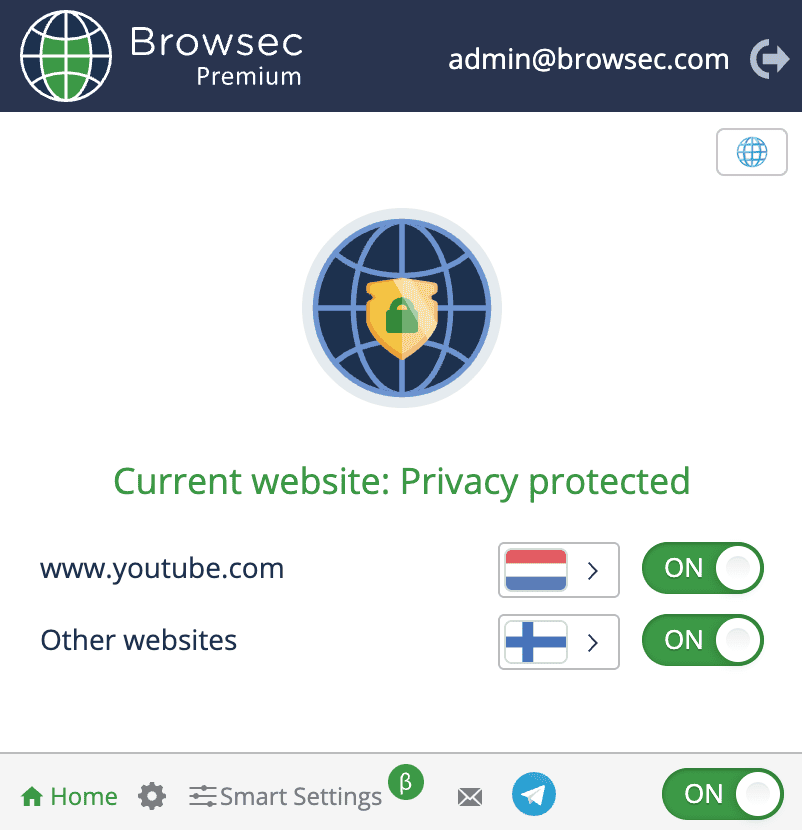
VPN extension for Chrome, Firefox, Edge, and Opera.
The original Browsec: a lightweight VPN and proxy extension that encrypts everything the browser does online. Smart Settings adds per-site rules, so your bank connects directly while the rest goes through the VPN.
- One-click access to blocked sites
- Per-site rules with Smart Settings
- Free plan, no account required
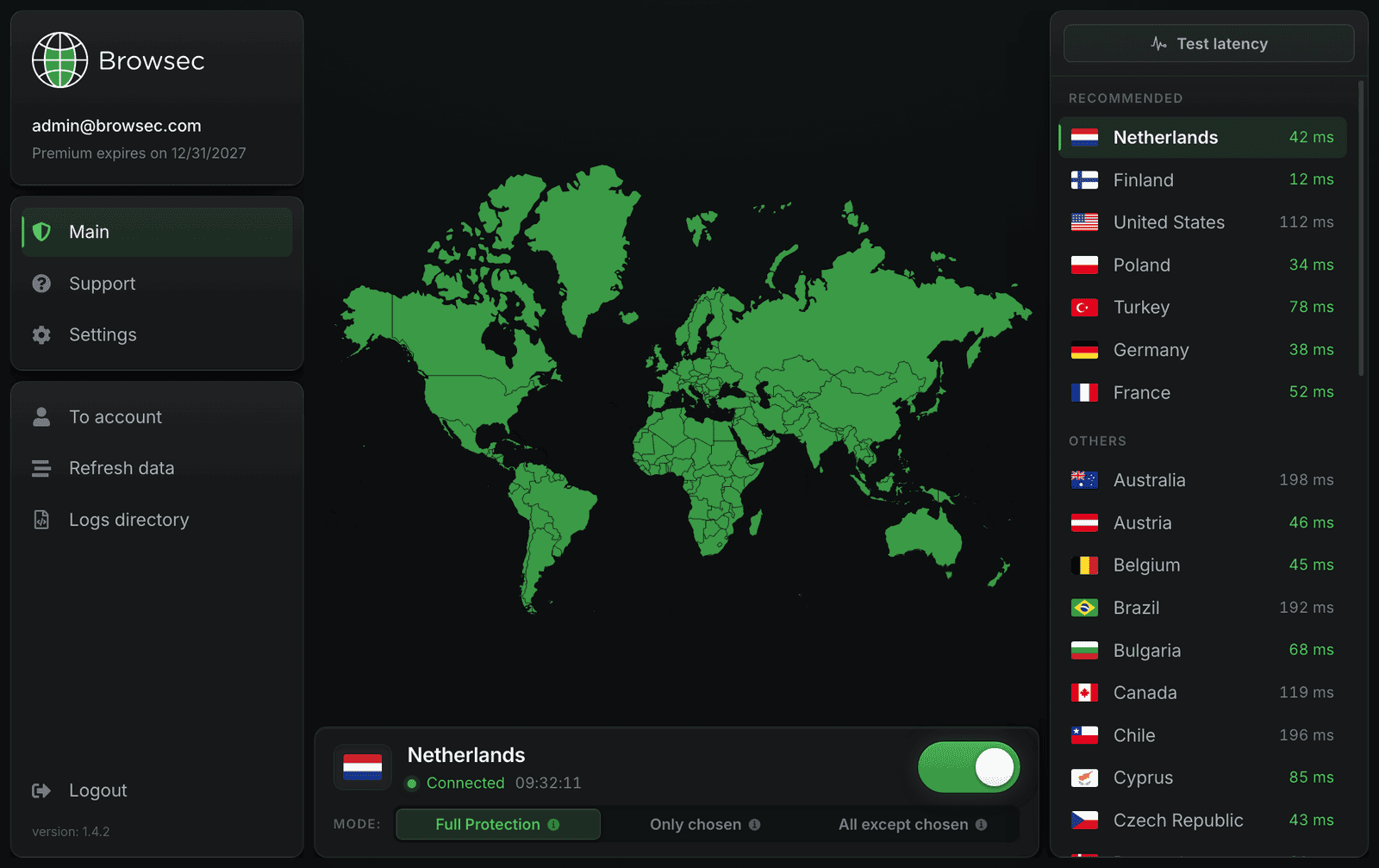
A VPN for Windows, macOS, and Linux.
The desktop software encrypts your whole internet connection, not just the browser. Pick the fastest country from the live latency list and flip the switch.
- Covers all apps on the device
- Live ping for every location
- Full, partial, or per-app tunneling
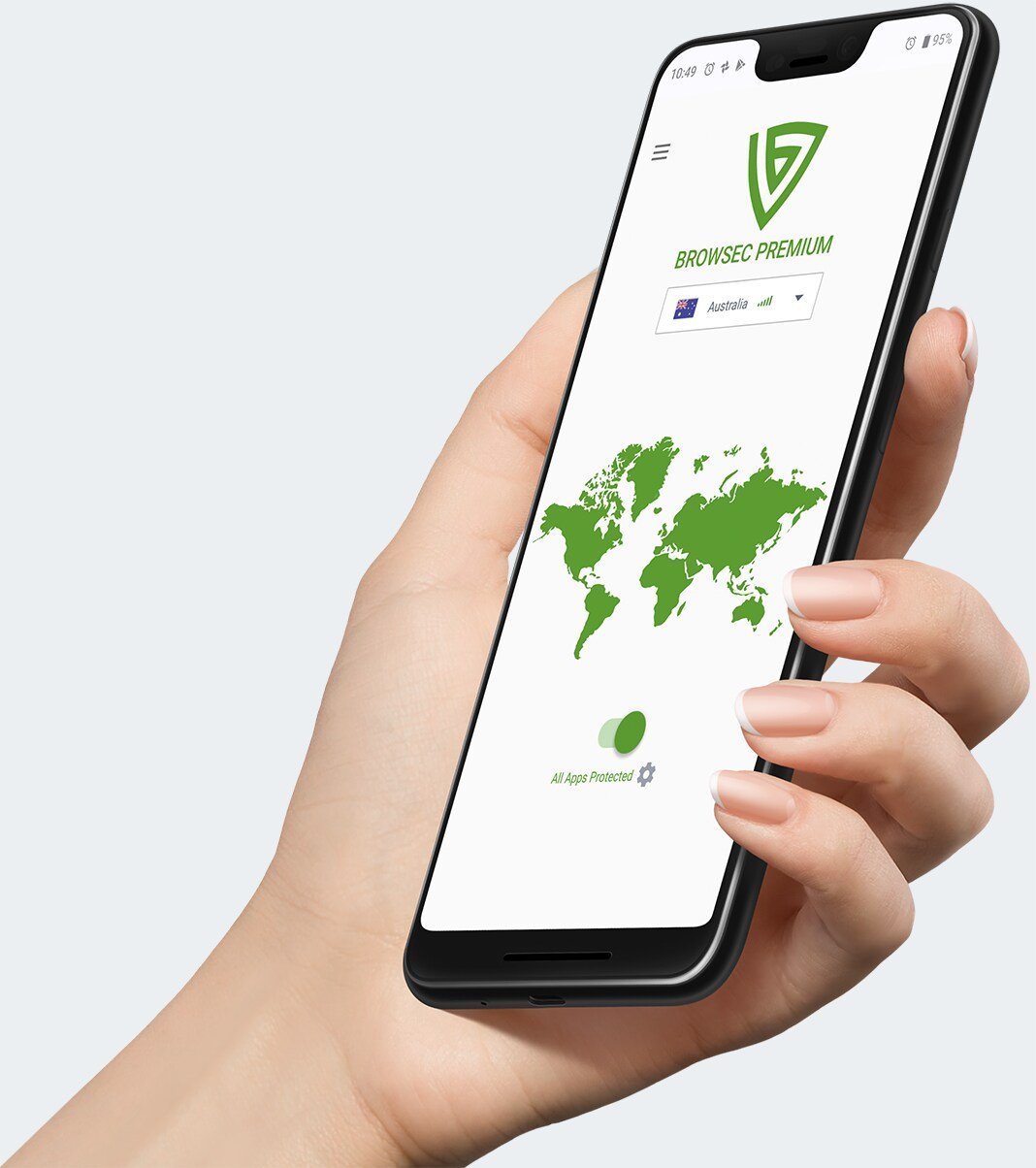
A VPN app for Android and iOS.
Native mobile apps with the same one-tap connect. Stream, shop and browse privately on cellular data, hotel Wi-Fi or an airport hotspot.
- One-tap secure connection
- Per-app tunneling on Android
- Works on any network
Pricing
One plan. Pay how you want.
Every plan gets the same full-speed Premium VPN. The only difference is how often you're billed.
·
Cancel any time
·
Money-back guarantee
FAQ
Frequently asked questions.
Still have a question? Write to us and support will get back to you within a business day.
Contact us
How do I install Browsec?
It takes less than a minute. Pick where you want Browsec to run.
Browser extension
Add Browsec from the Chrome Web Store, Firefox Add-ons, Opera Addons or Microsoft Edge Add-ons. Then click the Browsec icon in the browser toolbar and choose "Start VPN".
App for Windows, macOS and Linux
The Browsec desktop app encrypts everything your computer sends, not just the browser. It needs a Premium subscription.
Phone and tablet
Download the app from Google Play or App Store, then tap the switch at the bottom of the main screen. Your connection is protected right away. On Android you can also install the app from an APK file.
Android TV
Find Browsec in Google Play on the TV and install it. If Google Play cannot install it or the VPN fails to connect, download the APK from a direct link and install it by hand.
If none of that works
Read our Help Center or write to support@browsec.com. Every version of Browsec is also listed on our download page.
Do I need an account to use Browsec?
You can use Browsec Free right away, no registration, login, or ID required. Just install and connect.
An account is only needed if you want to upgrade to Premium for faster servers and more locations.
If I turn Browsec on, is my connection encrypted and how?
Yes, Browsec uses IPSec IKEv2 and XRay protocols with AES-256 (military-grade) encryption on mobile and HTTP Proxy over TLS with AES-256 encryption when using browser extension.
Browsec also protects you from MITM (Man-in-the-middle) attacks and WebRTC leaks.
Is Browsec free?
Yes, you can use Browsec free plan as long as you want without any restrictions.
If you need extra server locations, higher connection speed or you just want to support Browsec development, you can get Browsec Premium subscription.
Which payment methods are accepted?
We support credit and debit cards, PayPal, and several local payment providers depending on your region. All payments are processed through secure gateways. Subscriptions renew automatically, but you can cancel anytime in your account settings.
Can I cancel my Premium subscription anytime?
Yes. You can cancel your subscription renewal from your account dashboard.
Once canceled, Premium features remain available until the end of your billing period, and your account will switch back to the Free plan after that.
Is there a money-back guarantee?
Yes. Browsec offers a 7-day money-back guarantee. If you are not satisfied within the first week of using Premium, contact our support team and request a refund. It is also better to describe the reason for the refund - this helps us improve our service.
Also, we may suggest a solution to make our service eventually work as you expected.
What is the difference between Free and Premium plans?
The Free plan provides access to a limited number of locations (such as the US, Netherlands, Singapore) and moderate speeds. The free version has no time limits, you can use it as long as you like.
Premium plan unlocks access to desktop apps, 40+ locations, faster servers, better stability, priority support, and an unlimited number of Smart Settings and App Protection settings (for Android). If you want full protection on your computer and other devices, smooth streaming and more flexibility, Premium is the best choice.